2.25.1 Interaction features
Persistent accessibility
- The bottom toolbar is always present and can be accessed from any page in the app.
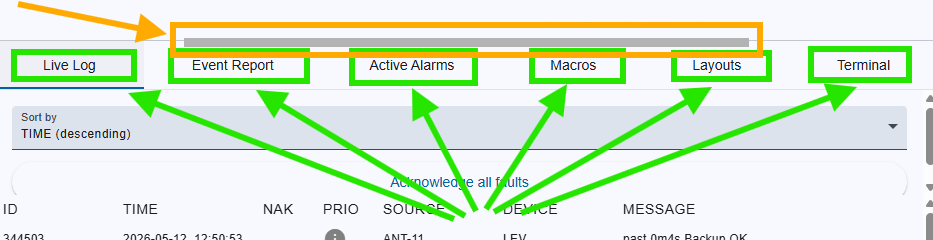
- Simply hover on the bottom toolbar to reveal the toolbar's resize handle.
Resize handle
- Drag to resize: Once the handle is visible, click and drag it upwards to expand the toolbar or downwards to minimize it.
- Double-Click: Double-clicking the resize handle will instantly expand the toolbar to full screen and by full screen double-clicking the resize handle minimize the toolbar instantly.
- Function / Tab buttons: Clicking on one of these buttons if the toolbar is minimized will expand it to around 1/3 of the browser windows height and it will switch to the appropriate tab.