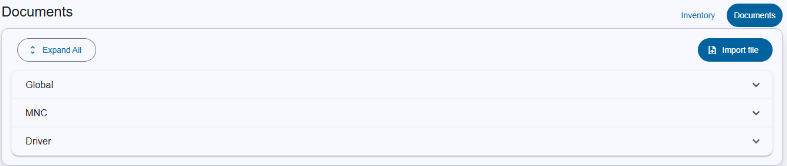
In Inventory database you can also upload documents and download documents. Documents can be attached to M&C, Driver or Globally.
Expand All: Expand all category tables.
Import file: Import file trigger Upload document dialog.
Global : If the document is uploaded without M&C or driver name, it belongs to Global category.
MNC : If the document is uploaded with, it belongs to MNC category.
Driver : If the document is uploaded with driver name, it belongs to Driver category.
Tables
The tables for Global, MNC and Driver are identical.

Search bars
Header row
Table columns
The document table contains the following columns:
| Column name | Description |
|---|---|
| Filename | Name of M&C. |
| MNC/Driver | Depending which section you expanded MNC/Driver will shown. |
| Comment | Purpose of document. |
The last column located at the far right of the tables provides buttons to run actions on the corresponding inventory item.
The following functions for inventory are available:
| Function | Icon | Description |
|---|---|---|
| Drop down |  |
Shows the option to download document or open document in new tab. |
| Edit |  |
modify/edit document item |
| Delete |  |
to delete the document. A confirmation dialog will appear to confirms the action. |
Bottom toolbar