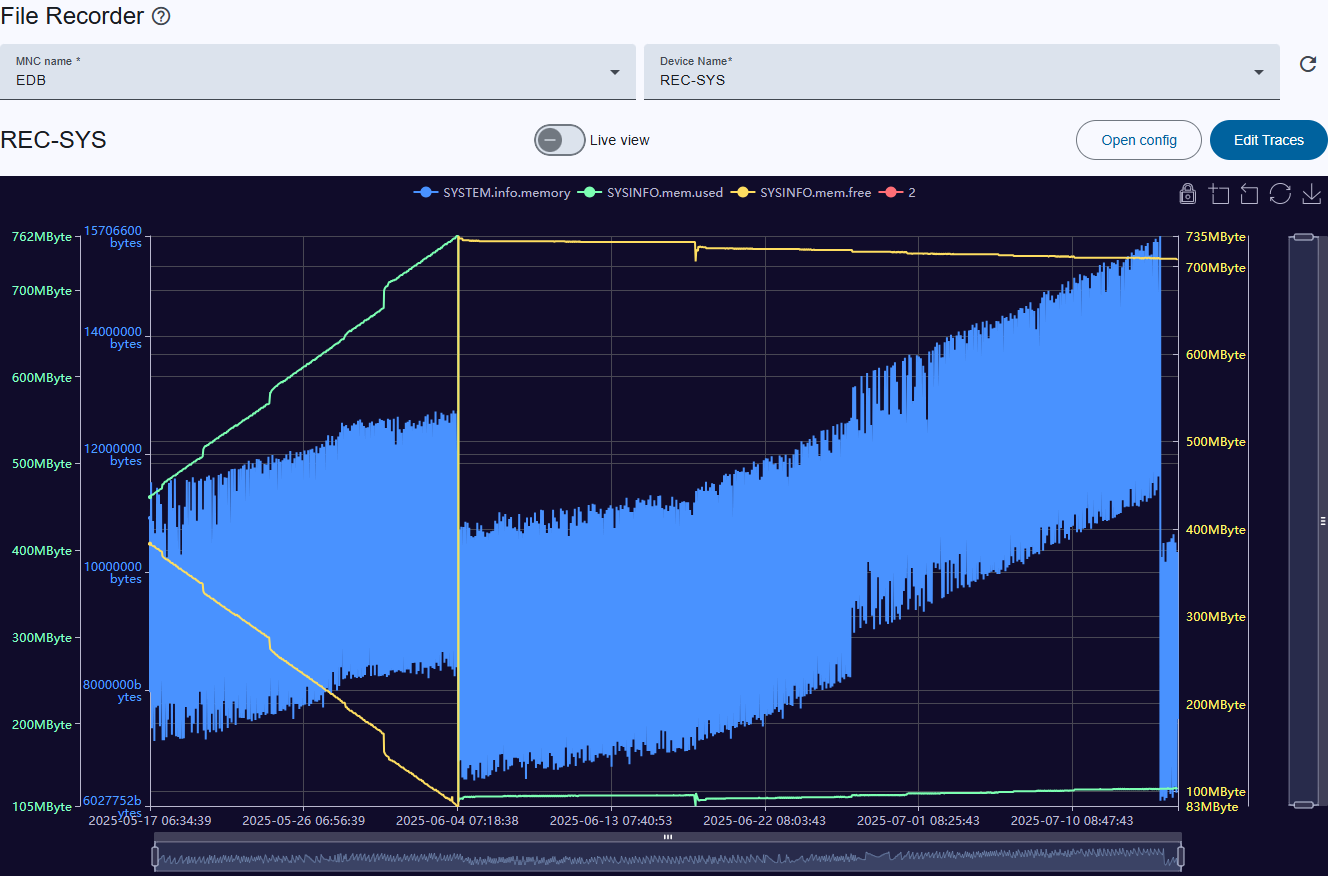
The sat-nms M&C software provides a facility (a logical device) called File-Recorder which is capable to record arbitrary data like levels, antenna pointing etc. into a disc file. The File recorder page is the user interface to inspect such files. The page can be accessed either from the side toolbar File-Recorder menu or can be configured in user-screens on button-element as File-Recorder action.
Top toolbar
Title, live view, and configuration buttons
Title: Displays the currently selected device name (e.g., "REC-SYS").
Live view toggle: Beside for viewing stored log files, the File recorder Viewer can be used to display the logged data as it is acquired with an automated display update. By pressing the "live view" toggle button, the viewer changes to live view mode. In this mode the viewer shows up to 400 recent data points, automatically updated with an interval that is configurable separately from the standard interval at the device window setup (open config button).
Configuration buttons:
Graph
Legends:
Zoom actions: Described below under zoom control buttons (near the legend).
Graph lines and axes:
Zooming
Lock Y-Axis: By clicking on the lock symbol, the y-axis is locked and the user can interact with the diagram without scaling.
Scrolling in and out: Use the scroll wheel to zoom in or out horizontally along the timeline (X-axis).
Vertical zoom (y-axis right side): Adjusts the zoom level vertically, allowing focus on specific Y-axis value ranges.
Horizontal zoom (x-axis bottom): Slider enables horizontal zooming along the timeline, allowing you to focus on specific time intervals.
Zoom control buttons (near the legend):