2.14.3.1.2 Dialogs
Add/edit i11 dialog
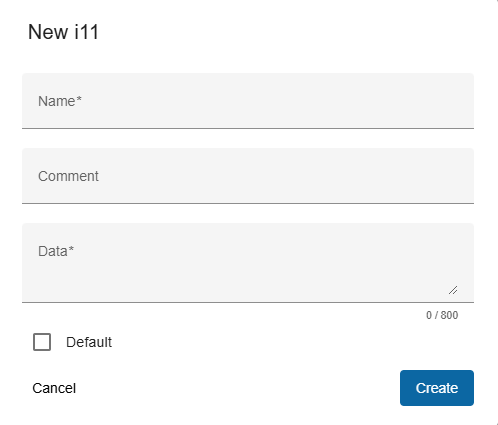
Trigger:
- when you click on the "+" button on the top toolbar to create new or
- an on pencil icon to edit i11 in the menu column
- The dialog title clearly indicates whether you are creating a new, editing an existing one, ensuring clarity in the action being performed.
Fields:
- Name: The name of the satellite as stated in the original I11 parameter set.
- Comment: Free text describing the purpose of this dataset.
- Norad number: unique name (world wide standardized)
- Data: The 11 ephemeris parameters, floating point, separated by semicolon characters.
- Default: Set i11 as default.
Actions:
- Create/Save:
- For new i11, this creates the satellite with the provided details.
- For existing i11, this saves modifications.
- If an error occurs in the input fields, the button is deactivated.
- Cancel: Closes the dialog without saving.
On delete confirmation dialog
- Trigger: Opens when you click the trash icon for an key from menu column.
- Content: Asks the user to confirm whether they want to delete the selected i11.
- Actions:
- Yes: Deletes the i11 permanently.
- Cancel: Cancels the deletion action.