1.16.2.4.4 Label
The Label display element shows a label (a one line text string) with a selectable font / color.
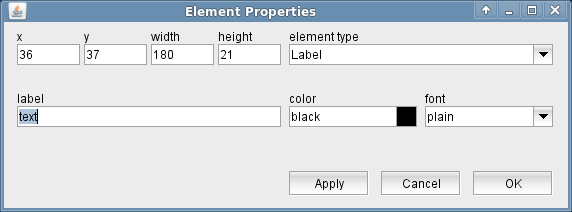
The attributes listed below may be configured to customize a display element of this type:
- text --- The text to be shown.
- color --- The color attribute of a parameter element sets the color of the label shown above the entry field. The text in the parameter field itself always is shown in the default text color of the selected look & feel. Colors may be specified by standard color names like red / green / blue or using a hexadecimal RGB notation. '#FFFF00' for example specifies yellow. You may click to the color example field in order to open a color chooser dialog and select the color from there.
- font --- The font to be used for the label.