1.16.2.4.22 ODM Target List
The ODM Target List screen element lets you embed the list of targets of a SatService-ACU-ODM antenna controller in the screen. Targets may be recalled (which moves the antenna to the stored position and sets the tracking parameters associated with this target), saved or deleted.
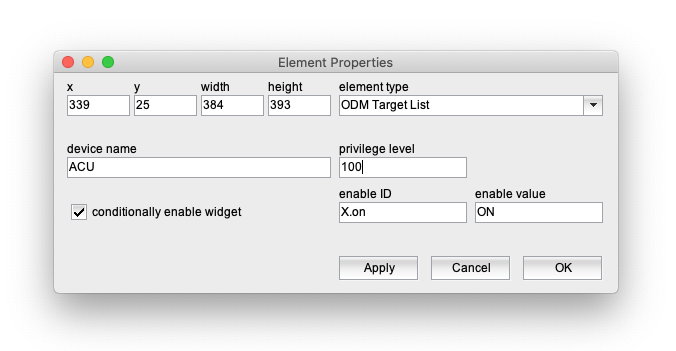
The attributes listed below may be configured to customize a display element of this type:
- device name --- This parameter is interpreted differently depending on the context where the ODM Target List screen element resides:
- When placed in a user defined screen or in the main screen of the application, 'device name' must be set to the name of the ODM device it shall refer to.
- When placed in the device screen of another device which defines a configuration variable with the antenna controller device name, the name of this configuration variable must be entered as the 'device name'.
- Finally, when used in the device screen of the ODM device itself, 'device name' must de set to '@'
Please note, that the ODM Target List screen element only works with SatService-ACU-ODM antenna controller device type, other antenna controllers are not supported.
- privilege level --- The privilege level necessary to access this element. The predefined screens of the software use 100. In your own screens you may set certain parameters to higher privilege levels, limiting the group of operators permitted to change the parameter.
- conditionally enable widget --- The target list widget may be locked to disabled state unless another parameter matches a given value. For instance, a TX-ON state may disable the selection of another satellite by means of the target list widget.
- enable ID --- This field defines the ID for the enabling parameter. When used in a device screen, the ID is interpreted as a variable name of the device, this screen belongs to.
- value --- The value belonging to the parameter above. The actual value of the parameter addressed by "enable ID" mut match this value in order to enable the button.