1.16.2.3 The Element Properties Window
The Screen Object Properties window is used to set the properties of a display object within the Screen Editor . Depending on the type of screen element, the window may contain different fields / information, below the element properties window for the common parameter element is shown as an example:
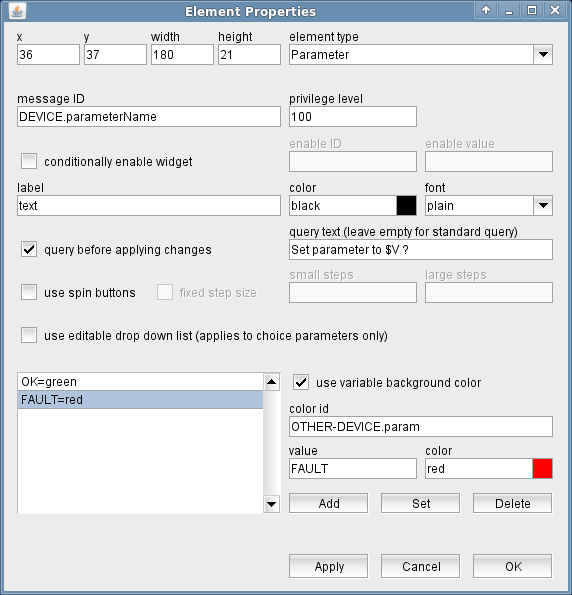
Although the contents of the element properties window depends on the type of element shown, the first line of the window is always the same:
- x --- X location of the element in the window.
- y --- Y location of the element in the window.
- width --- Width of the element's bounding box.
- height --- Height of the element's bounding box.
- element type --- The object type of the element.
Remarks
- If you change an element's position by dragging it with the mouse, this will overwrite any position / size values values edited in the element properties window. Clicking "Apply" before the element is moved saves the edited values.
- Changing the element type also changes the shape of the element properties window. As the element properties internally are stored in a way compatible to older software versions, the content of some fields may change in a way you might not expect.
- The screen editor uses the same Element Properties window for all elements. If you click to another element in the editor window, the properties of this element get loaded into the properties window.