1.5 The Terminal Window
The terminal window gives you access to the debug console of a VLC or M&C system. This is a valuable tool to inspect the low level communication to devices which are controlled by the M&C.
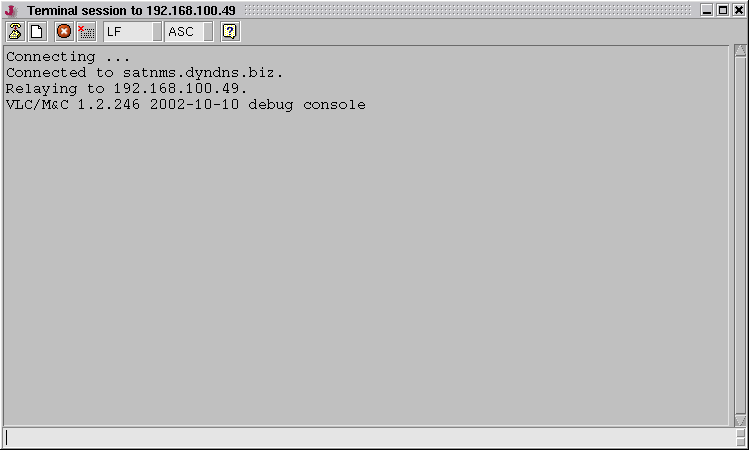
The terminal window consists of a display area which shows the debug output of the VLC and a command entry field at the bottom of the window. The tool bar at the top gives you access to the following functions:
 --- Disconnects from the VLC / M&C and closes the window (same as the 'q' command).
 --- Clears the window.
 --- Temporarily inhibits the output of data sent by the VLC / M&C.
 --- closes a 'term' connection to a certain serial interface.
 --- Selects the 'end of line' terminator appended to each commands entered to the command field at the bottom of the window. Possible selections are LF, CR, CR/LF, and ---.te .ts
  Selects ASC or HEX mode. ASC is the normal terminal mode displaying printable characters as they are. HEX is the HEX-dump mode displaying each character as a 2-digit hexadecimal number. The mode affects the command entry, too.
Debug commands
At the entry line at the bottom of the window you can enter a number of debugging commands which may help to test e.g. new device drivers. The following commands may be entered:
- get <msg-id> --- Get the current value of an parameter with the ID <msg-id>
- set <msg-id> <v> --- Set parameter with the ID <msg-id> to a value as it would entered by the user
- loop <msg-id> <v> --- Set parameter with the ID <msg-id> to a value as it would read from the device
- touch <msg-id> --- Force the parameter with <msg-id> to be read from the device with the next driver cycle
- threads --- Show a comprehensive list of device threads
- thread <n> --- Show details of thread number <n>
- peers --- Show peers / list of connected clients
- peer <n> (view|verbose|silent|kill) --- Details and functions of peer number <n>
- restart --- Restart MNC service (same as restart button in client)
- shutdown --- Stops MNC service. Attention: service has to be restarted on the command line
- limit / nolimit --- make the 'debug.log' file unlimited or limited in size. The MNC always starts with the 'debug.log' file limited in size.
- csm-debug --- toggles the debug output of all CSM spectrum analyzers ON/OFF. The debug output appears in the
.panic.log file. Remarks:
- Be careful to switch csm-debug off again after using it. It remains on when the debug terminal window is closed unless it has been switched off before. This may cause a large amount data in the
.panic.log file.
- Using csm-debug only gives meaningful information if there is only one spectrum analyzer running in the system. If you have multiple spectrum analyzers configured, be sure to set all but the one you want to debug to OUT-OF-SERVICE.