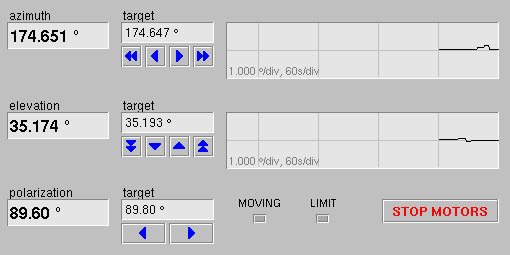
The area in the upper right part of the window shows the actual antenna pointing and provides entry fields to move the antenna to a given position. The example below is taken from an antenna which is not equipped with a polarization motor, the polarization angle display is empty therefore.
The fields labeled 'azimuth', 'elevation' and 'polarization' show the actual antenna pointing as read out from the angle encoders. For azimuth and elevation there is also a strip chart display of the angle. If you choose a high resolution scale for the chart, you can watch the antenna doing the tracking steps in the chart. Click with the right mouse button into the chart to get a pop-up menu for scales and other display options.
The 'target' fields show the actual target values. The arrow buttons below these fields permit to adjust the antenna position in small or larger steps. This only should be done with any tracking switched off to avoid interferences with motions initiated by the tracking engine.