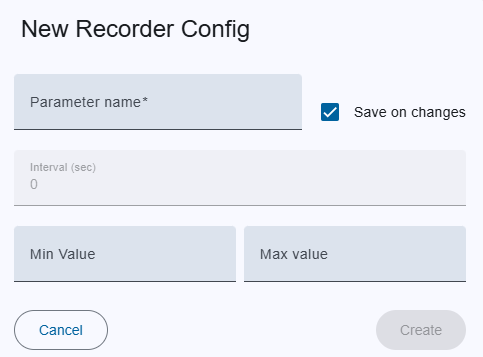
Add/Edit Dialog
| Field | Description | Notes |
|---|---|---|
| Parameter name | Full parameter ID (MNC.DeviceName.ParameterId). |
Required. |
| Save on every Change | Checkbox. When enabled, the Interval field is automatically set to 0. |
Setting 0 means “store every change when the value changes”. |
| Interval | Time between stored values (seconds). | Greater than 0 means only the first value is stored, and subsequent changes are ignored until the interval has elapsed. |
| Min value | Minimum threshold for an alarm. | Optional. |
| Max value | Maximum threshold for an alarm. | Optional. |
| Button | Action |
|---|---|
| Create / Save | Persists the new/updated configuration. |
| Cancel | Closes dialog without saving. |
Delete Confirmation Dialog
Backend API Reference.
If you need to review the API contract for a particular action, refer to the API docs here: /api/v1/recorderconfig.