2.3.2.1.1 Fault page
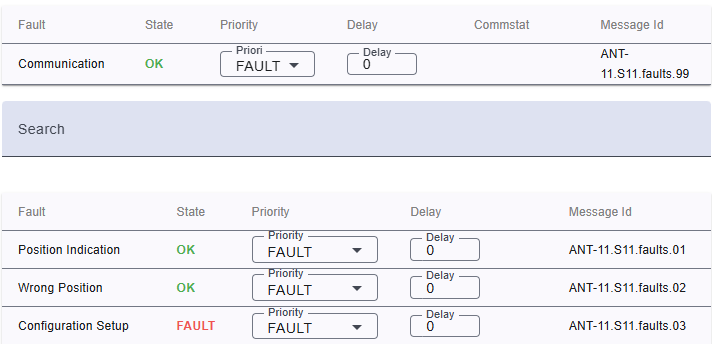
Moreover, you can view and change the event priority for each particular fault flag:
Header row
- You can sort rows in ascending or descending order by clicking on the column header.
- Sorting is applied to the entire dataset, not just the current page.
- The active sort order (ascending or descending) is typically indicated by an arrow or icon near the column name.
Table columns
- Fault: The name of the fault.
- State: State or fault of device.
- Priority: Priority of the fault.
- OFF: This flag is completely suppressed.
- INFO: This flag is signaled as an 'informational' event.
- WARNING: This flag is signaled as a 'warning' event.
- FAULT: This flag is signaled as a 'fault' event.
- ALARM: This flag is signaled as an 'alarm' event.
- Delay: Delay on trigger alarm.
- Commstat: (Communication status) shows if the description of fault.
- Message id: Message id or fault flags.
Search bar: Allows users to filter events by keywords.