2.14.3.4 TM channel table
Telemetry (TM) channels defining communcation channels used to receive status and measurement data from satellites.
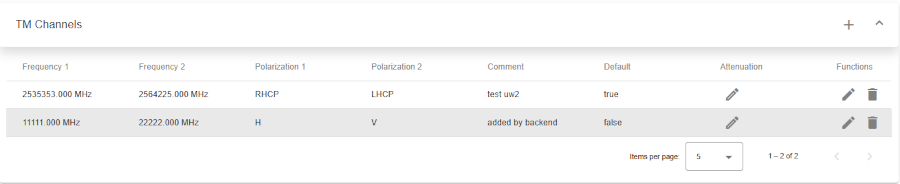
Top
- Left-side title of table.
- Plus (+) button to create new TM channel.
- Icon button to expand or collapse table
Header row
- You can sort rows in ascending or descending order by clicking on the column header.
- Sorting is applied to the entire dataset, not just the current page.
- The active sort order (ascending or descending) is typically indicated by an arrow or icon near the column name.
Table columns
- Frequency 1: Primary receive frequency, floating point, MHz.
- Frequency 2: Secondary receive frequency, floating point, MHz.
- Polarization 1: This is an enumeration.
- Polarization 2: This is an enumeration.
- Comment: Describing the purpose of this beacon.
- Default: True means this is the default TM channel dataset for this satellite. . Attenuation: Modify attenuation value stored in the database for one particular pair of antenna and TM channel. Opens TC-Attenuation dialog.
- Functions: Action icons for managing the key:
- Edit: Pencil icon to modify/edit.
- Delete: Trash can icon to delete.
Bottom toolbar
- Pagination controls: Allows users to set the number of items displayed per page and navigate between pages.