2.23.4 User screen
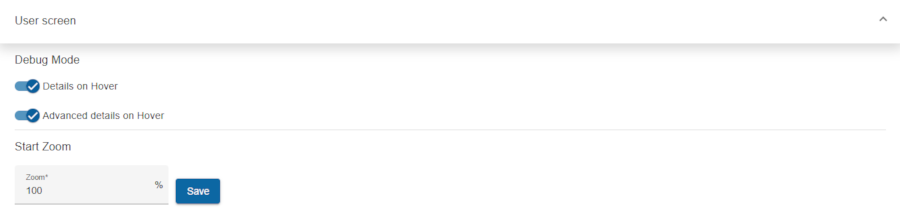
Debug mode
Enables additional debugging features, such as hovering over elements to display detailed information for debugging purposes.
- Details on hover: display some information in the bottom left corner when the mouse pointer is moved (hovered) over a display element (e.g. display element type, messageId, value and device mode) on the user screen-
- Advanced details on hover: same as Details on hover, but this displays more information.
Start zoom
Users can define a custom zoom level (in %) for the user screens. Once set, the user screen will always display at the specified zoom level.
- Zoom: Type wished value. Default is 100%.
Save: Will save the zoom level.