1.12.1.1 Add/edit inventory dialog
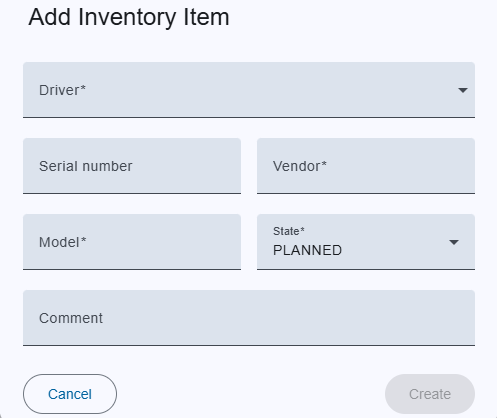
Trigger:
- when you click on the "+" button on the bottom toolbar to create new inventory item or
- an on pencil icon to edit in the menu column
- The dialog title clearly indicates whether you are creating a new inventory item, editing an existing one, ensuring clarity in the action being performed.
Fields:
- Driver: An drop down with available drivers. Already exists driver in inventory list option is disabled.
- Serial number: Serial number of driver
- Vendor: Manufacture name. Automatically filled if you select an driver but it can also changes.
- Model: Model is driver name.Automatically filled if you select an driver but it can also changes.
- State: State of the driver.
- Comment: Free text for providing some information.
Actions:
- Create/Save:
- For new inventory item, this creates the inventory item with the provided details.
- For existing inventory item, this saves modifications.
- If an error occurs in the input fields, the button is deactivated.
- Cancel: Closes the dialog without saving.