2.25.7.1 Create Layout Workflow
- Click Create Layout (+) button in the layout tab.
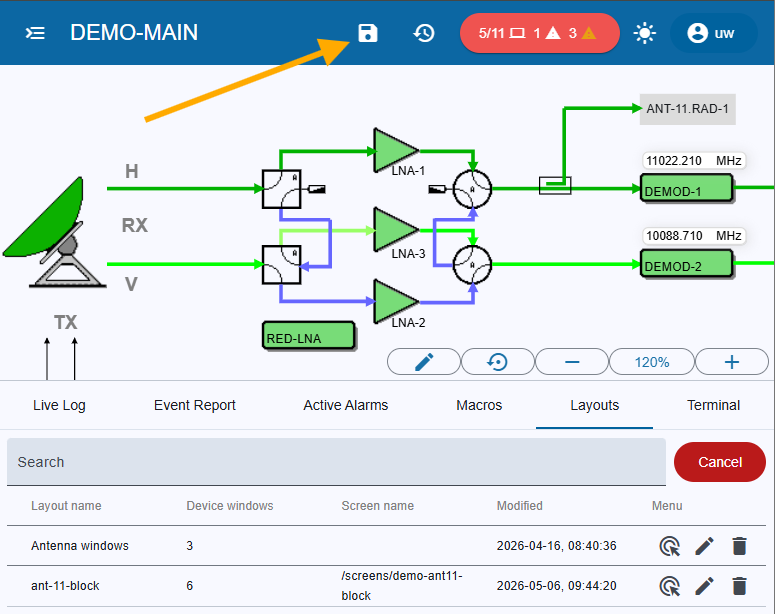
- A Save icon button appears on the top toolbar; the Add dialog does not open immediately.
- The user may navigate away or interact with other parts of the UI while the Save button remains visible.
- When the user clicks the Save icon button:
- The button disappears from the toolbar.
- The Add dialog opens with blank fields.
- The dialog then requests the Layout name and any other properties (check Layout Dialog).
Remark: The layout name field is the only editable attribute in the dialog. All other fields are immutable once the layout is saved. To change them, delete the layout and create a new one