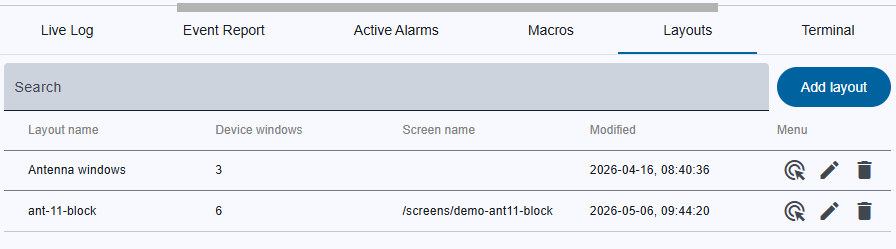
The Layouts tab is the central UI for persisting and restoring UI state across sessions. A layout stores:
Once a layout is saved it can be listed, edited, deleted or restored by a double‑click on the table row.
Search bar
User functions
+ button
Table header row
Table columns
The layout table contains the following columns:
| Column name | Description |
|---|---|
| Layout name | The layout name |
| Device Windows | Count of stored device‑window |
| Screen | URL of the main window |
| Bottom panel | URL of the bottom panel |
| Modified | Timestamp of the last create/update operation |
| Menu | Row‑specific user actions |
User Actions
| Action | Icon | Trigger | Result |
|---|---|---|---|
| Restore State |  |
Double‑click a table row or click icon | The stored window positions, URLs, and panel states are applied instantly |
| Edit Layout |  |
Click icon in Functions column | Opens Layout add/edit dialog populated with existing values |
| Delete Single Layout |  |
Click icon in Functions column | Opens Delete confirmation dialog for that layout |