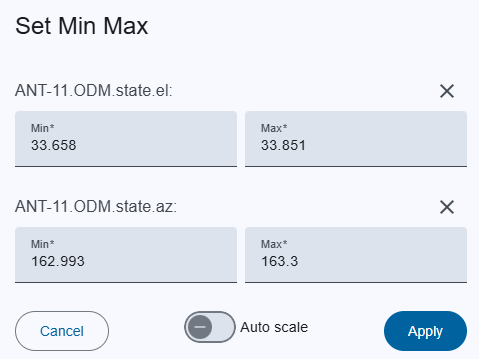
This dialog helps to set the scale for the Single Chart by entering a min and max value for each parameter Id.
Above the input field is the name of the parameter ID for which the scale can be set, and on the right side is a close button (X) that resets the min and max values to their default values.
| Field | Description | Notes |
|---|---|---|
| Min | Min value for scaling the chart. | Required. |
| Max | Max value for scaling the chart | Required |
| Button | Action |
|---|---|
| Apply | Applies the scale to the chart |
| Auto scale | The chart scale adjusts automatically based on the data displayed in the chart. |
| Cancel | Closes dialog without saving. |