1.16.2.4.18 Spectrum Display
The Spectrum Display element embeds the spectrum display of a spectrum analyzer device in the screen. The display may be scaled to an almost arbitrary size, however the following limitations apply:
- The annotation labels which reflect the actual spectrum analyzer settings are not scaled with the display element. If the element is very small, the labels may overlap and become unreadable.
- Resizing the spectrum display element is only possible in certain steps, the grid behind the spectrum curve is always made up of 10*n + 11 pixels in one dimension. The screen editor software knows about this, snaps the size of the element to the next (smaller) valid size after you release the mouse button.
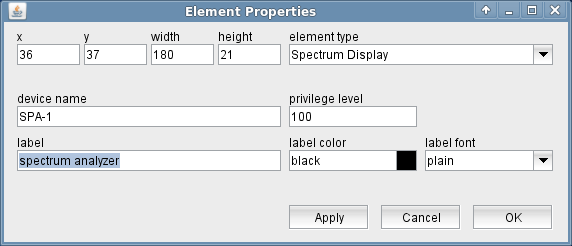
The attributes listed below may be configured to customize a display element of this type:
- device name --- The name of the spectrum analyzer device to operate.
- privilege level --- The privilege level necessary to operate the spectrum analyzer device.
- label --- The annotation label displayed above the spectrum display.
- label color --- The color of the label displayed above the spectrum display. Colors may be specified by standard color names like red / green / blue or using a hexadecimal RGB notation. '#FFFF00' for example specifies yellow. You may click to the color example field in order to open a color chooser dialog and select the color from there.
- label font --- The font attribute sets the font of the label shown above the element.