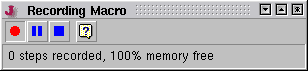
The Macro Record window lets you control the recording of a parameter setting macro. It is shown whenever a macro is recorded. Closing this window in the title bar of the window abandons the recording session, any recorded steps are lost.
The window shows the number of steps which have been recorded in the actual session and the percentage of available memory the macro actually occupies. The recording process is controlled by the tool bar buttons:
 --- If pressed down, recording is active. This is the default after the window appears. You may pause recording by pressing the pause button described below. To resume recording, click to the record button.
 --- Pauses recording. If, e.g., you find during a recording session that some device settings are not set as you expect, pause recording, set these settings and then resume recording the macro.
 --- Stops the macro recording session and loads the macro into the Macro Edit window . You may modify the macro there, add a comment and store it with an arbitrary name.