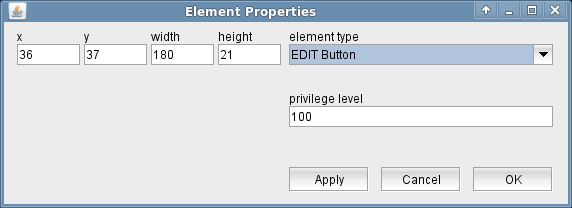
The EDIT Button display element places an EDIT button to the screen. It appears as a simple button with the label "EDIT" on it. You define one (and only one) EDIT button in a screen which shall be operated following the EDIT / TAKE operating method explained below. If you have an EDIT button in a screen you must have e TAKE button , too.
The attributes listed below may be configured to customize a display element of this type:
The EDIT / TAKE operating method
The M&C software uses the same display elements to show the values read from a device (monitoring) and to change parameter settings on an operator's request (control). The operating situation determines whether a display element contains a monitored value or an edited one.
The software usually changes each parameter as you edit it. More precisely, if you edit a value in an entry field, the field's background becomes yellow to point out that the value is an edited one. If you leave the field or if you press RETURN, the edited value is sent to the device. CHOICE parameters behave slightly different, but in a similar sense.
Now, if an EDIT button is defined in the screen, it behaves completely different. All display elements in the screen show the values monitored at the device in the default state of the screen. You can't change any parameter in this state unless you press the EDIT button. With the EDIT button pressed (it's a latching one) the screen turns into "edit" state and stops updating the screen elements with the values monitored from the device. Now you can change the parameter values, however a changes value will not be sent to the device unless you press the TAKE button. When doing so, all parameter values from this screen are sent to the device at one time. The screen returns to the default state in order to show the values read back from the device.
Using the EDIT / TAKE operating method disables the "intelligent" change parameter ranges, some device drivers support. A modem device driver may dynamically change the valid range of the symbol rate depending of the FEC actually selected. With the EDIT / TAKE operating method, the device driver does not receive the FEC setting as you edit it and therefore cannot change the symbol rate range accordingly. For this reason you should use the EDIT / TAKE operating method only where this is a strong requirement for some reason, not as the default operating style for all screens.