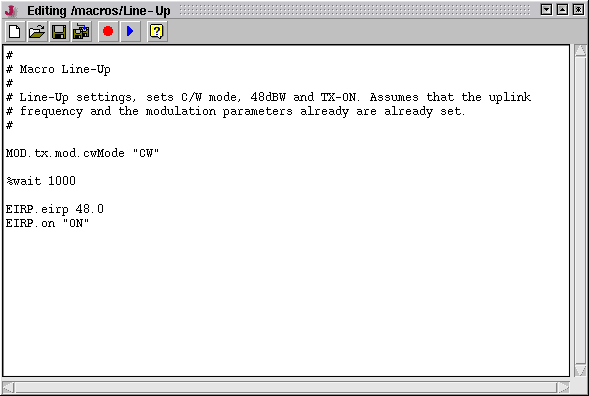
The Macro Edit window lets you edit a macro definition (it's just a plain text file), play the edited macro or append additional steps using the record function. Before you start to edit your first macro, you might want to read the chapter ' Concepts ' at the beginning of this section which explains the theory, file syntax and usage of these macros.
Handling the editor window (specially using cut & paste) slightly differs for Windows and Linux based computers. The window uses the cup & paste scheme of the operating system, so CTRL-C/CTRL-V works only on Windows based computers while pasting with the middle mouse button only is supported by Linux based machines. Below the tool bar functions are explained:
 --- Clears the edit buffer, lets you edit a new macro definition.
 --- Loads an existing macro definition into the editor.
 --- Saves the edited macro.
 --- Saves the macro using a different name.
 --- Starts a recording session which appends steps to the macro you're actually editing.
 --- Plays the macro in the edit buffer. The macro is played directly from memory, not saved.
Remark
In an NMS, macros normally only can be played while the VLC this Macro Management window refers to is 'online'. An exception from this is a NMS controlling it's VLCs via SCC. Here macros also may be played for 'offline' VLCs, the commands get streamed to the SCC outbound communication channel in this case.
Macros played through the SCC outbound channel may be used to reinitialize a VLC's SCC transmit equipment if any attempts to setup a point to point connection to this VLC fail.