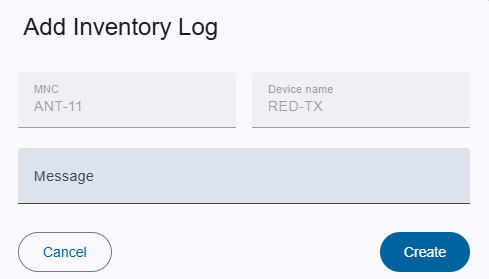
2.12.2.3 Add log dialog
Trigger:
- when you click on the
 button on the device column
Fields:
- MNC: Name of the M&C.
- Device name: Device name.
- Message: A short message that shows the purpose of this log.
Actions:
- Create:
- this created a new log.
- If an error occurs in the input fields, the button is deactivated.
- Cancel: Closes the dialog without saving.