1.12.2.2 Add/edit device dialog
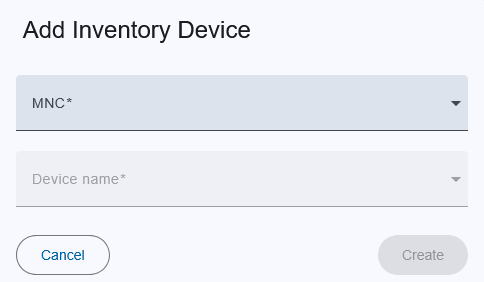
Trigger:
- when you click on the "+" button on the top toolbar to create new or
- an on pencil icon to edit device in the menu column
- The dialog title clearly indicates whether you are creating a new, editing an existing one, ensuring clarity in the action being performed.
Fields:
- MNC: Name of the M&C.
- Device name: Once you selected the M&C device list will be available on behalf of selected M&C and selected Driver of inventory item.
Actions:
- Create/Save:
- For new device, this creates the device with the provided details.
- For existing device, this saves modifications.
- If an error occurs in the input fields, the button is deactivated.
- Cancel: Closes the dialog without saving.