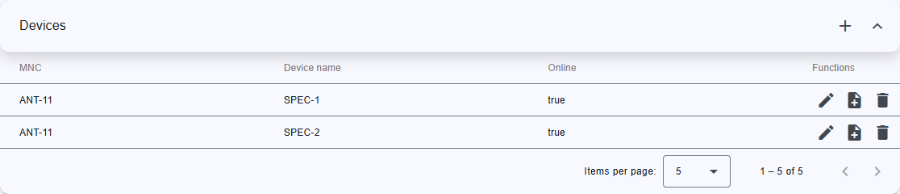
Devices table show the list of devices that are configured on the selected inventory driver. Driver recognized by M&C check for the devices that are configured, add to database. By non-recognized driver devices should be added manually.
Top
Header row
Table columns
The devices table contains the following columns:
| Column name | Description |
|---|---|
| MNC | Name of M&C in which the device is configured. |
| Device name | Device name |
| Online | State of device. If device have an communication fault state will be false else true. |
The last column located at the far right of the tables provides buttons to run actions on the corresponding device.
The following functions for device are available:
| Function | Icon | Description |
|---|---|---|
| Edit |  |
modify/edit device |
| Add log |  |
Opens Add Inventory Log dialog with prefilled data to add a log in inventory database. |
| Delete |  |
to delete the device. A confirmation dialog will appear to confirms the action. |
Bottom toolbar