1.14.3.2 Beacons table
Satellite beacons are used to track satellites. Each satellite can have more than one beacon, usually there are at least one beacons on every polarization. The preferred beacon can be marked as default in the database. It will be used if the operator does not select a specific beacon for Step-Track.
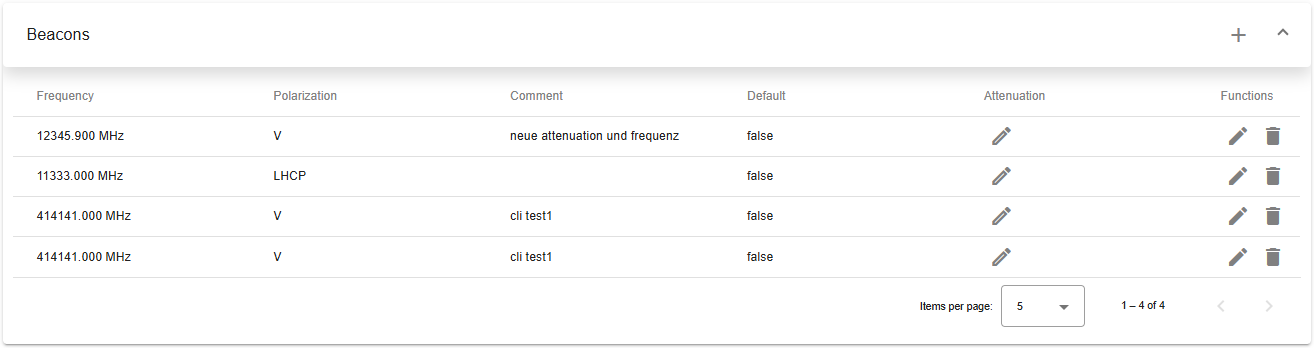
Top
- Left-side title of table.
- Plus (+) button to create new beacon.
- Icon button to expand or collapse table
Header row
- You can sort rows in ascending or descending order by clicking on the column header.
- Sorting is applied to the entire dataset, not just the current page.
- The active sort order (ascending or descending) is typically indicated by an arrow or icon near the column name.
Table columns
- Frequency: Beacon frequency, floating point, MHz.
- Polarization: This is an enumeration.
- Comment: Describing the purpose of this beacon.
- Default: True means this is the default beacon dataset for this satellite. . Attenuation: Modify attenuation value stored in the database for one particular pair of antenna and beacon. Opens beacon-attenuation dialog.
- Functions: Action icons for managing the key:
- Edit: Pencil icon to modify/edit.
- Delete: Trash can icon to delete.
Bottom toolbar
- Pagination controls: Allows users to set the number of items displayed per page and navigate between pages.