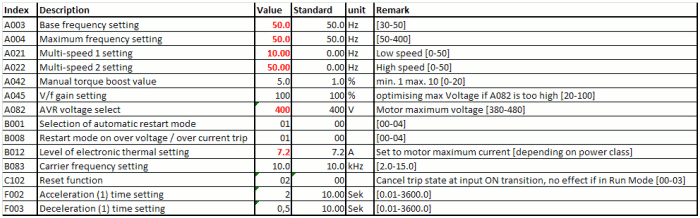
On following Tables 3 to 6 and you can see the test-settings that are programmed in the delivery state. To change the parameters press Cycle Key (11) as soon as you have reached the right group (A...U), now you can change the parameter-number with the up- and down Key (12)+(13). To change the chosen parameter press button Set Key (14). Now you can change the parameter with the up and down Keys to the desired value. To save the new parameter value, press Set Key (14) once. To go back to the parameter choice, without saving, press Cycle Key (11)
In normal cases it suffices to change the following Parameters of the frequency-inverters: in row value the ACU-ODU standard setting is given, standard represents the OMRON delivery state value. Please refer to the OMRON manual for more detailed parameter informations.
Table 3: Parameters to be configured to the motor parameters
Table 4: Interface parameters, these normally do not have to be
changed. 
Table 5: If you use an external brake resistor, you have to adjust
the following parameters: 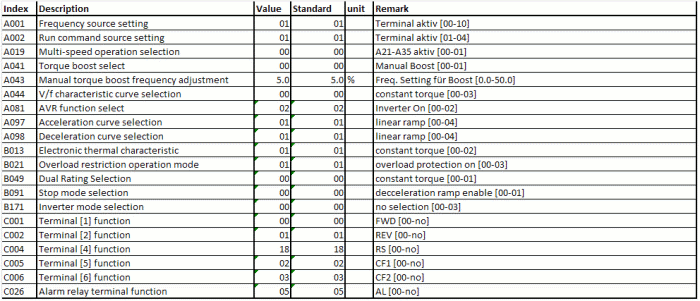
Table 6: To Reset Frequency inverters parameters to OMRON factory
default settings, refer to following table 
The following tables give you a short overview over the fault states, the frequency inverter is able to display.
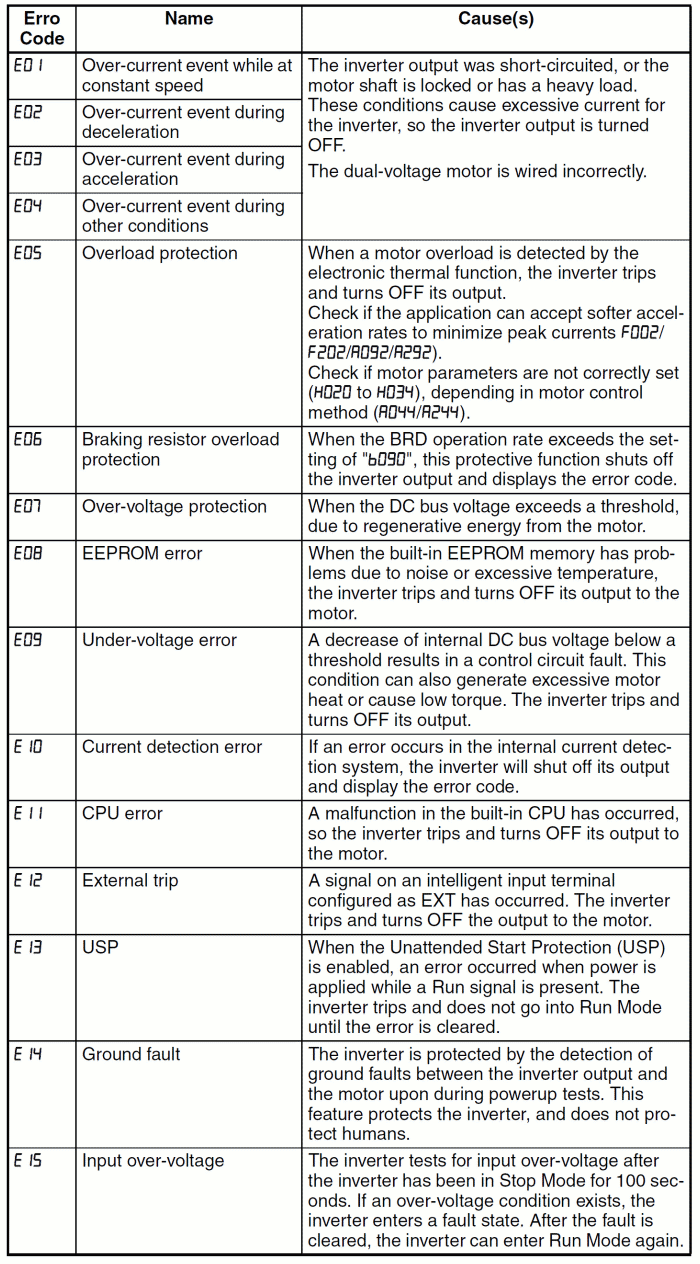 Table 7
origin: OMRON user Documentation
I570-E2-01-X+MX2+UsersManual
Table 7
origin: OMRON user Documentation
I570-E2-01-X+MX2+UsersManual
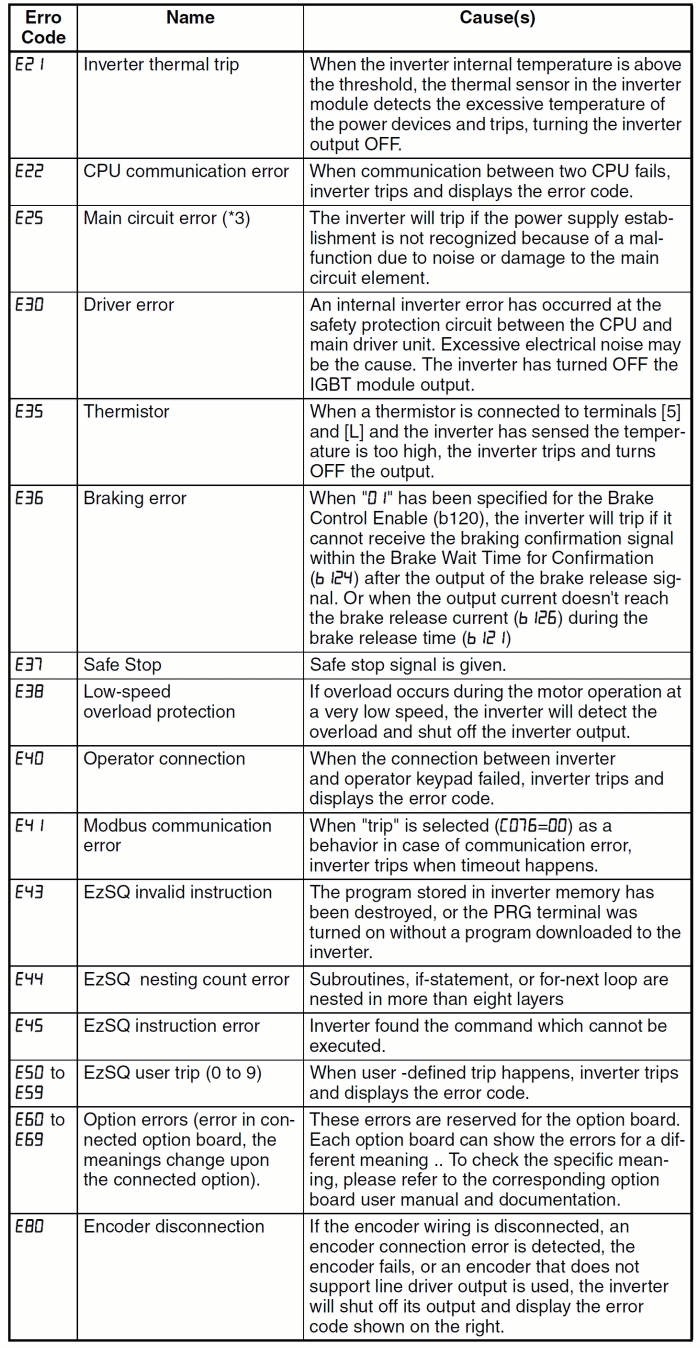 Table 8
origin: OMRON user Documentation
I570-E2-01-X+MX2+UsersManual
Table 8
origin: OMRON user Documentation
I570-E2-01-X+MX2+UsersManual
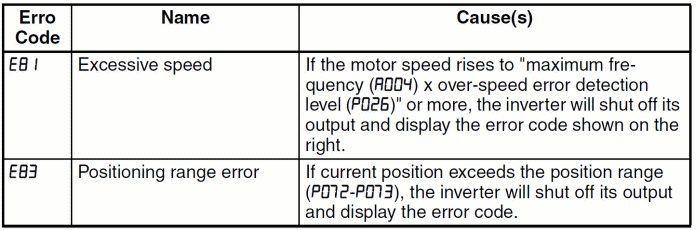 Table 9
origin: OMRON user Documentation
I570-E2-01-X+MX2+UsersManual
Table 9
origin: OMRON user Documentation
I570-E2-01-X+MX2+UsersManual