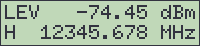
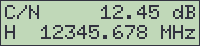
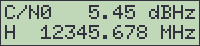
The display mode shows the actual reading and some additional information in the display. This is the default mode, the beacon receiver enters it automatically after power on. Depending on the selected measurement mode, the default display looks like this:
| Measurement Mode | Display |
|---|---|
| level measurement | |
| C/N measurement | |
| C/N0 measurement | |
The upper display line shows the actual measurement, the lower line shows the receive polarization and frequency (the polarization is only shown if the LNB voltage is configured for polarization selection).
While the receiver is not in a regular state, the lower line of the display shows a message indicating this. The ordinary contents of the display and the message are shown alternately, the message 'blinks' on the display. The following messages may be displayed:
| Display | Description |
|---|---|
 |
There is a problem with the power supply of the receiver. (hardware fault) |
 |
One of the receiver's frequency synthesizers does not lock. (hardware fault) |
 |
The receiver had lost the signal, is actually searching it. |
 |
The measurement value is below the threshold defined in the settings. |
 |
The receiver actually performs a frequency tracking. The measurement value appears frozen during this procedure. |
 |
The receiver failed to optimize the receive frequency, probably due to a bad C/N. |
If more then one of the above conditions occur, only that one with the highest precedence is shown. This means for example that the 'SEARCHING' state precedes over the 'THRESH FAULT' which caused the receiver to search the signal. For a detailed fault report, see chapter 3.5.6 Fault Display
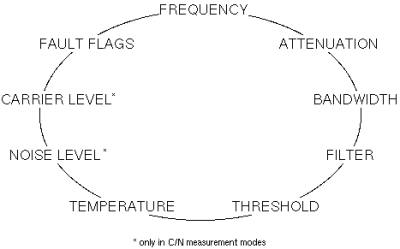
Instead of showing the receive frequency, the lower display line may be set to display more parameters. Use the arrow keys to step through the available display variants, the 'CLEAR' key resets the display to show the receive frequency.