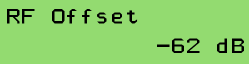
To change a numeric parameter like the the RF offset, select this value from the SETTINGS menu. The upper display display line describes the parameter, the lower line shows it's value:
To set a new value, press  . This clears all figures from the value display and shows '>_' at the first column to signal the editing mode.
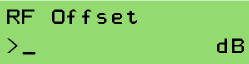
Using the number keys, you enter the new value. The digits fill the entry field from right to left, like with a pocket calculator. The  keys enable you to write a 'dot' or a 'minus'. The
  key may be used to delete the last digit.

To accept the edited value, press . This checks the entered value against it's limits and executes the parameter change. Pressing  twice (the first key press clears the display) leaves the editing mode without changing anything.